

Documentation
JTAG Driver Setup
JTAG Driver Setup (2nd PC)
Ensure the DMA cable is properly connected to the JTAG port before proceeding with this step.
📥 1. Download the Driver
- Download the JTAG Driver here ↗.
- Save it to your desktop or an easy-to-find folder.
⚙️ 2. Run the Installer
- Double-click the downloaded file.
- Click Install and wait for the process to complete.
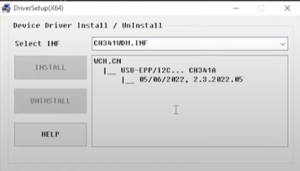
✅ 3. Finish Installation
- Once installation is complete, click OK to close the installer.
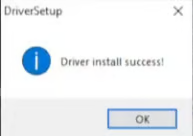
Next Step: You're now ready to proceed with DATA Driver Setup (2nd PC).
Was this helpful?
Prev
2nd PC Setup